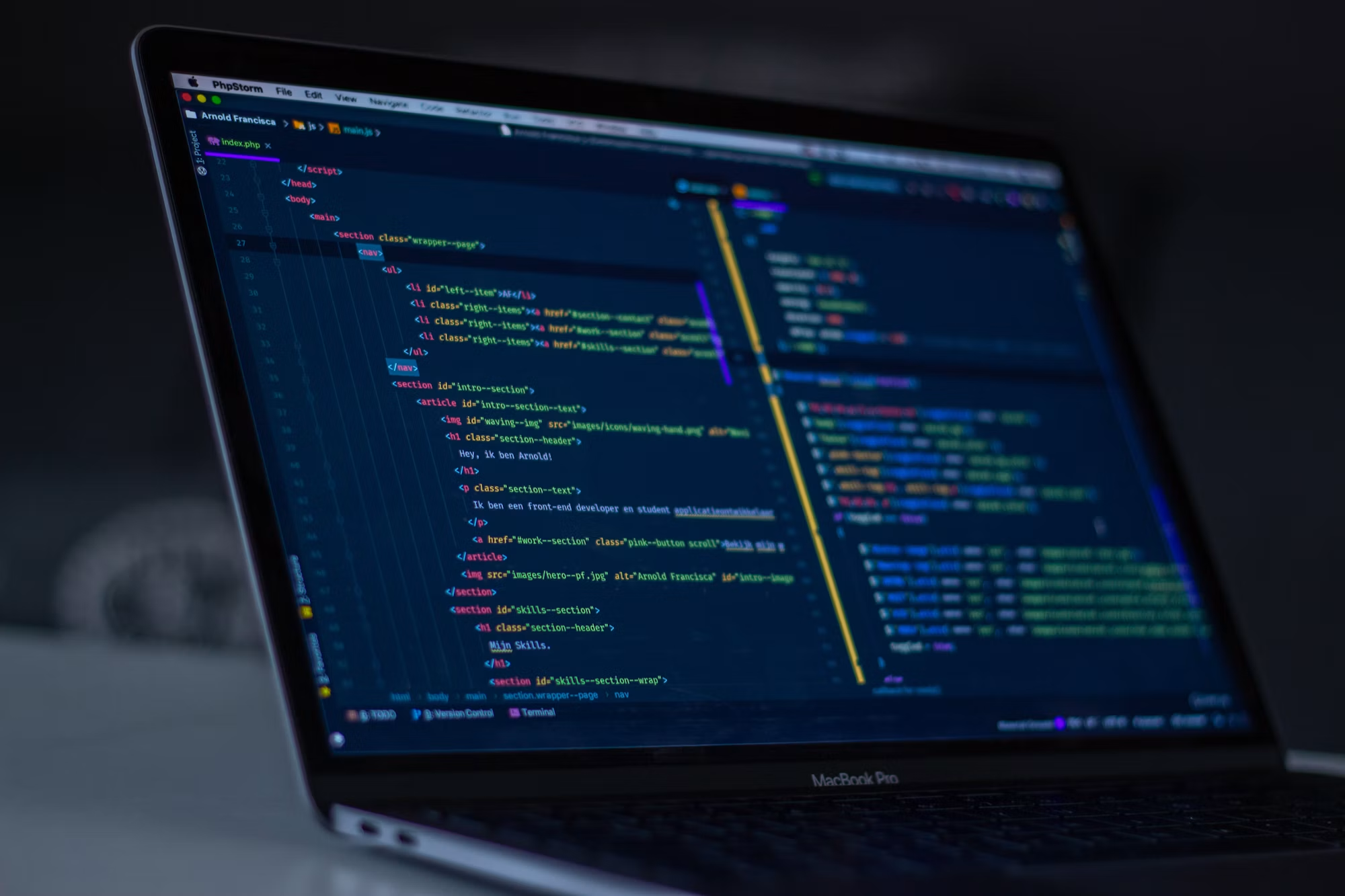
What Is Software Development?
Direct answer: Software development is the engineering process of designing, building, testing, deploying, and maintaining an application that performs a defined set of functions for its users. It spans requirements analysis, architecture design, coding, quality assurance, integration with other systems, and ongoing maintenance after launch.
From a business perspective, software development is a structured way of turning a requirement — "our support team needs a single place to see customer history across three systems" — into a working, reliable product that people use every day. From an engineering perspective, it involves a defined lifecycle:
Software development is not a one-time project that ends at launch. A production application is a living system: usage patterns shift, integrations change on the other end, security requirements evolve, and the business itself grows into new requirements the original scope didn't anticipate. Treating development as a lifecycle rather than a single delivery is what separates software that stays useful for years from software that becomes a liability within twelve months.

Types of Software We Develop
We design, build, and deploy software across diverse architecture patterns to align with specific organizational requirements.
Discuss Your Requirements →Enterprise Software
Enterprise software supports organizations with multiple departments, structured workflows, and a need for governance over who can see and change what. Key considerations include role-based access control, departmental workflow variation, enterprise-grade data management, integration with existing enterprise systems, and the ability to scale to a large internal user base without performance degradation.
SaaS Applications
SaaS applications are built to serve many customers from a single, multi-tenant codebase. This requires deliberate architecture: multi-tenant data isolation, subscription and billing integration, user and account management, product usage analytics, and an architecture designed to scale as customer count grows rather than being rebuilt at each stage of growth.
Business Applications
Business applications are internal-facing tools built around operational workflows — inventory tracking, resource scheduling, process management — that reduce reliance on manual coordination between employees and disconnected spreadsheets.
Customer-Facing Applications
Customer portals, self-service platforms, and customer dashboards let customers interact directly with your business without going through a support team. These reduce support load while giving customers faster access to the information or actions they need.
AI-Powered Software
AI-powered software incorporates AI assistants, LLM-driven workflows, retrieval-augmented generation (RAG) for grounding AI responses in your own data, AI agents capable of completing multi-step tasks, and predictive or recommendation capabilities layered on top of existing product functionality.
Internal Business Platforms
Internal platforms centralize operations, employee-facing systems, workflow management, and reporting into a single system of record, replacing a patchwork of tools that don't share data with each other.
Software Products
When the deliverable is a standalone product rather than an internal tool, the engineering emphasis shifts toward product architecture, extensibility, and the ability to iterate quickly based on user feedback after launch.
MVPs and Digital Products
For founders and product teams validating a new idea, we prioritize building an MVP: the smallest set of core features that lets you test the idea with real users, gather feedback, and iterate — rather than spending months building functionality the market hasn't validated yet.
Software Development Capabilities
Our engineering capabilities cover the full stack required to design, build, and operate a production application:
Full-Stack Software Development Services in Chennai
Combining interface design, backend logic, data architecture, security, and AI integrations into a cohesive production application.
Core Engineering Pillars:
Frontend development
the interfaces users interact with directly, built for usability and performance across devices
Backend development
the business logic, data processing, and server-side systems that power the application
Full-stack engineering
teams capable of working across the entire application rather than only one layer
API development
building and exposing APIs so your application can be consumed by other systems, partners, or future products
Database development
designing data models that stay accurate and performant as data volume grows
Application integration
connecting your software to the other systems your business already depends on
Authentication and authorization
controlling who can access the application and what they're allowed to do inside it
Real-time applications
features that depend on live data, such as notifications, dashboards, or collaborative tools
AI/ML integration
embedding machine learning models or generative AI capabilities directly into application functionality
Third-party integrations
connecting to external services such as payment processors, communication platforms, or industry-specific tools
Scalable application engineering
building systems designed to handle growth in users, data, and transaction volume
Data-driven application development
applications built around a dataset, turning raw data into usable, decision-ready information
Business workflow development
encoding your organization's actual processes into the application's logic
Each of these capabilities matters less in isolation than in how they're combined for a given project — a customer portal, for instance, typically draws on frontend development, authentication, API integration, and real-time features together.

Software Modernization and Legacy Application Development
Update, re-engineer, or migrate legacy systems to meet modern business, security, and integration requirements:
Legacy System Modernization
Direct answer: Software modernization is the process of updating, re-engineering, or migrating an existing application so it can continue meeting current business, security, and integration requirements, without necessarily rebuilding it from scratch.
Legacy applications accumulate risk over time: outdated frameworks become harder to secure and harder to hire for, tightly coupled code becomes harder to change safely, and systems that were never built to integrate with modern tools become isolated data silos. Modernization addresses this without always requiring a full rebuild.
Rehost
moving the application to new infrastructure with minimal changes to the code itself
Replatform
making targeted changes to take advantage of a new platform's capabilities without a full rewrite
Refactor
restructuring the existing codebase to improve maintainability, performance, or security while preserving behavior
Rebuild
re-engineering the application from the ground up using current technology, typically when the existing codebase is too constrained to evolve further
Replace
retiring the legacy application in favor of a new system where continuing to modernize the old one no longer makes sense
API Modernization
exposing legacy functionality through modern APIs so it can integrate with current tools
Database Modernization
migrating an outdated data layer to a platform that better supports current query patterns and scale
AI Augmentation
adding an AI layer on top of, or alongside, functionality that already works without rebuilding the entire system
Deciding whether to modernize or rebuild depends on how much of the existing system still works correctly, how tightly coupled the code is, how significant the technical debt has become, and how much new functionality the business needs going forward. We assess this directly rather than defaulting to "rebuild everything," since a targeted refactor is often faster, cheaper, and lower-risk than starting over.
Software Development Services in Chennai for Business Requirements
Different business problems call for different software solutions. We build targeted applications designed to deliver specific operational outcomes:
Automated & Customer-Facing Solutions
Direct Answer: Business requirements dictate whether you build internal workflow tools, multi-tenant subscription products, or client portals. Aligning the solution style to the requirement prevents building bloated software that users ignore.
Enterprise & Data-Driven Integrations
Direct Answer: Modern enterprises run on data consistency and shared systems of record. Data-centric applications ensure information is accurate and actionable across every department, rather than locked inside isolated tools.
In each case, the pattern is the same: identify the actual business problem, then engineer the smallest software solution that solves it well, rather than defaulting to the most feature-rich option.
Software Development for Different Industries
Software requirements are shaped by the specific processes, compliance obligations, and data environment of each sector.
Explore Industry Software →Healthcare
Healthcare organizations typically need software for patient workflow management, care coordination, and documentation, with strict requirements around data privacy, auditability, and integration with clinical systems. AI opportunities exist in areas like intelligent document processing and workflow triage, but always alongside strong data governance.
Financial Services
Financial services software tends to center on transaction processing, reconciliation, reporting, and compliance workflows. These applications carry heightened security requirements and often need to integrate with core banking or payment infrastructure that has strict reliability expectations.
Retail
Retail businesses commonly need inventory management, order processing, and customer-facing platforms that integrate with point-of-sale and fulfillment systems. Data requirements often center on real-time inventory accuracy and customer behavior visibility.
Manufacturing
Manufacturing organizations frequently require production tracking, quality management, and supply chain visibility software that integrates with equipment data and existing enterprise resource planning systems.
Education
Education institutions typically need learning management, administrative, and communication platforms that serve different user roles — students, instructors, administrators — with very different needs from the same underlying data.
Logistics
Logistics companies need software for shipment tracking, route management, and coordination across multiple parties, generally with a strong integration requirement across carriers, customers, and internal systems.
Professional Services
Professional services firms often need client management, project tracking, and billing software tailored to how the firm actually structures engagements, rather than generic project management tools.
SaaS and B2B Technology
SaaS and B2B technology companies need product engineering support to build and scale their own software offering — the software itself is the product, which changes the engineering priorities toward extensibility, multi-tenancy, and rapid iteration.
Across industries, the common thread is that software requirements are shaped by the specific processes, compliance obligations, and data environment of that sector — which is exactly why generic tools frequently fall short for specialized workflows.
Software Integration and API Development
Direct answer: Software integration connects an application with the other systems a business already relies on — CRMs, ERPs, payment platforms, internal databases — so that data flows between them automatically instead of requiring manual re-entry.
Most businesses don't operate with a single system; they operate with several. Integration work closes that gap:
Done well, integration eliminates data silos, automates workflows that previously required manual handoffs, reduces duplicate data entry, connects previously disconnected business systems, and gives leadership operational visibility that didn't exist when data was scattered across separate tools.
Software Testing and Quality Engineering
Direct answer: Software testing and quality engineering verify that an application behaves correctly, securely, and reliably before and after launch, covering functionality, integrations, performance, and security rather than relying on manual spot-checks alone.
Our quality engineering approach includes:
Quality engineering isn't a guarantee of defect-free software — no responsible engineering team claims that. It's a structured process for catching problems earlier, when they're cheaper and safer to fix, and for building the kind of confidence that lets a business rely on the software for real operational work.
Software Development Process
A structured 10-phase software engineering lifecycle from initial discovery through to continuous post-launch optimization.
Start Discovery →Discovery
We start by understanding your business objectives, user needs, existing systems, technical environment, and constraints — budget, timeline, compliance requirements — before proposing any solution.
Requirements Analysis
We define functional requirements (what the system must do), non-functional requirements (performance, security, reliability), user roles, workflows, required integrations, and security requirements.
Technical Feasibility
We evaluate the technology choices, data requirements, integration complexity, AI feasibility where relevant, and scalability requirements before committing to an architecture.
Architecture
We design the system architecture: components, APIs, database structure, data flows, and security architecture appropriate to the application's scale and risk profile.
UX/UI Planning
Where the application has a significant user interface, we map user journeys, build wireframes, and define interaction design — kept proportionate to a software product's needs rather than treated as a full website design exercise.
Development
Our engineers build the frontend, backend, APIs, databases, business logic, and any AI/ML components according to the agreed architecture.
Quality Assurance
The application goes through functional, integration, performance, security, and user acceptance testing before release.
Integration
We connect the application to APIs, CRM, ERP, payment systems, and other enterprise or third-party platforms as required.
Deployment
The application is released to its users. Deployment itself is one step in the broader lifecycle here — for organizations that also need infrastructure and deployment operations, CI/CD pipelines, or cloud infrastructure management, that work is covered by our dedicated DevOps engineering service.
Maintenance and Continuous Improvement
After launch, we handle bug fixes, performance improvements, security updates, feature enhancements, and technology upgrades as the product and business evolve.
Software Development Technology Stack
We select technology based on the specific requirements of each project rather than defaulting to a single stack for every client. The following are technologies we work with, organized by their role in the system:
Technology choice is a means to an end: we select the stack that best fits the application's requirements, your team's existing technical environment, and long-term maintainability — not the newest tool available.
Software Maintenance and Support
Ensuring operational integrity, patching security gaps, and optimizing application behavior post-launch:
Application Support Lifecycle
Direct answer: Software doesn't stop needing engineering attention once it launches. Production applications require continuous monitoring, patches, and adjustments to keep running smoothly.
This is application-level maintenance — keeping the software itself correct, secure, and current. It's distinct from infrastructure operations such as server management, deployment pipelines, and monitoring at the infrastructure level, which are covered under our DevOps engineering service.
Bug Fixes
addressing coding errors and operational bugs as they surface in production use
Security Updates
patching vulnerabilities as new threats and dependency updates are identified
Performance Optimization
tuning application code and database queries as usage patterns and data volume grow
Feature Enhancements
extending application capabilities and adding features as business requirements evolve
Technology Upgrades
upgrading languages, libraries, and frameworks to keep the codebase current and extensible
Database Maintenance
optimizing schemas, indexing, and tables to ensure data access remains fast and reliable
API Integration Support
maintaining system connections as third-party APIs update their security and endpoints
Feedback-Driven Iteration
refining features based on direct user analytics and operational feedback after launch
Ongoing maintenance turns a static launch into an evolving product. Regular updates ensure security compliance, improve user retention, and allow the software to grow alongside your business instead of degrading over time.
Business Benefits of Custom Software Development
Custom software, implemented well, offers advantages that go beyond what configurable off-the-shelf tools typically provide:
These benefits aren't automatic — they depend heavily on implementation quality, how well the software actually reflects the business's real processes, and whether the organization adopts and uses it consistently after launch.
ROI and Business Impact
Custom software's return on investment shows up in several measurable areas, though the actual numbers are specific to each business and shouldn't be assumed in advance:
Actual ROI depends on the business model, how thoroughly the software is adopted internally, the scope of what was built, the maturity of the existing processes it replaces, implementation quality, ongoing user engagement, and the technology environment it's deployed into. We don't quote projected ROI percentages up front, because a credible estimate depends on your specific numbers, not industry averages.
Build vs Buy vs Customize
Evaluating the core trade-offs between commercial off-the-shelf software, platform customization, and custom development:
Software Procurement Framework
Direct answer: Off-the-shelf software is the right answer for standardized functions where your requirements aren't unique. Custom software earns its cost when workflows, integrations, or competitive differentiation genuinely can't be served by an existing product.
Customizing an existing platform sits in the middle — reasonable when a tool covers 80% of your requirements but requires tailored integration or tweaks to handle the remaining 20%.
Initial Cost
Buy: Lowest upfront. Customize: Moderate. Build: Highest upfront engineering cost.
Process Flexibility
Buy: Limited to vendor roadmap. Customize: Moderate constraints. Build: Full design control.
Fit to Unique Workflows
Buy: Weak for non-standard needs. Customize: Moderate. Build: Strong; engineered around you.
Scalability
Buy: Depends on vendor's cloud. Customize: Platform limits. Build: Designed for your exact scale.
System Integration
Buy: Limited to stock connectors. Customize: Moderate. Build: Fully customized endpoints.
Intellectual Property
Buy: None; rented SaaS model. Customize: Shared dependence. Build: Full codebase ownership.
Ongoing Maintenance
Buy: Handled by vendor. Customize: Shared responsibility. Build: Your team or engineering partner.
Time to Deployment
Buy: Fastest (near-instant). Customize: Moderate. Build: Longest cycle to design and build.
Long-Term Strategic Value
Buy: Lower for unique operations. Customize: Moderate. Build: Highest differentiation value.
The choice among buying, customizing, and building shouldn't be about choosing the most complex technology. It is a business trade-off based on budget, timeline, and whether a custom solution creates genuine competitive advantage.
Software Development Engagement Models
We offer flexible collaboration frameworks tailored to your project requirements and team setup. Choosing the correct model ensures alignment of interests, budget predictability, and the appropriate level of client involvement.
Explore Collaboration Models →Fixed-Price Development
Best suited to projects with clearly defined scope and requirements, where cost predictability matters more than flexibility to change direction mid-project.
Dedicated Development Team
A team assigned specifically to your project on an ongoing basis, suited to longer-term product development where requirements will evolve and continuity of the team matters.
Staff Augmentation
Adding engineering capacity to your existing internal team, suited to organizations that already have technical leadership and process in place but need additional hands.
Project-Based Development
A defined project delivered end-to-end, suited to discrete initiatives with a clear start and finish rather than ongoing product development.
Long-Term Partnership
An ongoing relationship for continuous product development, suited to SaaS products and platforms that will keep evolving well beyond initial launch.
Software Development Services in Chennai: Cost
Direct answer: Custom software development cost varies significantly by project because it depends on scope, complexity, integrations, and team composition rather than a fixed rate — a simple internal tool and a multi-tenant SaaS platform with AI features cost very differently to build.
Factors that meaningfully affect cost include:
Because these variables differ so much between projects, we don't publish a fixed price for "software development" as a category — a credible estimate requires understanding your specific requirements first. We're able to give a realistic cost range early in the discovery process, once scope is roughly defined.
Software Development Timeline
Direct answer: Software development timelines depend primarily on requirements clarity, project scope, and architecture complexity — a well-scoped internal tool can launch in weeks, while a multi-tenant SaaS platform with several integrations typically takes months.
Factors that affect duration include:
Rather than promising a universal timeline, we build a project-specific schedule during discovery, once scope and requirements are clear enough to estimate realistically.
Illustrative Use Cases
The following are illustrative use cases based on common business problems, not descriptions of actual InfinitetechAI clients.
Explore Software Scenarios →Example Scenario — Healthcare Software Platform
Example Scenario — B2B SaaS Product
Example Scenario — Manufacturing Application
Example Scenario — AI-Powered Business Application
Software Development Market Trends and Industry Insights
Several trends are shaping how software gets built today
McKinsey's most recent State of AI survey found that most organizations report only modest financial gains from generative AI so far, with a small group of "high performers" capturing most of the measurable value — a reminder that AI capability tends to pay off when it's built into a specific workflow with real ownership behind it, not when it's added everywhere at once.
Future of Software Development
Several directions are likely to shape how software gets built and used over the next several years:
These trends affect product development timelines, how engineering teams are structured, the business models software can support, the architectural choices that make sense today, and the kind of customer experiences that become possible. We track these developments not to chase trends for their own sake, but because they change what's genuinely achievable for a given budget and timeline.
Build Your AI-Powered Software Solution →People Also Ask & Frequently Asked Questions
Direct, expert answers to key technical, scoping, and operational software engineering questions.
Is custom software worth it for a small business?
It depends on the problem. If a small business's needs are well served by existing tools, custom software usually isn't worth the investment. It becomes worth it when a core workflow, integration need, or product idea genuinely can't be served by off-the-shelf software.
Can existing software be upgraded instead of replaced?
Often, yes. Modernization approaches such as refactoring, replatforming, or targeted rebuilds can extend the life of an existing system without a full replacement, depending on how much technical debt has accumulated.
What's the difference between a software developer and a software development company?
An individual developer typically handles a narrower scope of work directly. A software development company brings a full team — architecture, engineering, QA, and project management — suited to larger or more complex projects that need multiple disciplines working together.
Do I need to know exactly what I want before starting a software project?
No. Discovery and requirements analysis exist specifically because most businesses arrive with a problem, not a finished specification. Requirements get refined collaboratively during the early stages of the project.
Can software development teams work with an in-house technical team?
Yes. Staff augmentation and dedicated team engagement models are specifically designed to extend an existing internal team rather than replace it.
How is software development different from app development?
"App development" is often used more narrowly to describe mobile or web applications, while software development is the broader discipline covering any type of application — web, mobile, desktop, enterprise platforms, and backend systems.
1. What is custom software development?
Custom software development is the process of designing and building an application specifically for one business's requirements, rather than adapting a generic product built for a broad market.
2. How much does custom software development cost?
Cost depends on scope, complexity, number of integrations, AI requirements, and team composition. There's no fixed universal price — we provide a realistic estimate once your requirements are defined during discovery.
3. How long does software development take?
Timeline depends on requirements clarity, scope, architecture complexity, and number of integrations. Simpler internal tools can take weeks; larger platforms with multiple integrations typically take months. We provide a project-specific schedule after discovery.
4. What types of software can you develop?
We build enterprise software, SaaS applications, business applications, customer-facing platforms, AI-powered software, internal business platforms, software products, and MVPs.
5. What does a software development company do?
A software development company designs, builds, tests, integrates, deploys, and maintains software applications on behalf of a client, typically bringing architecture, engineering, and quality assurance expertise together as a team.
6. Can you modernize existing software?
Yes. We assess existing applications and recommend rehosting, replatforming, refactoring, rebuilding, or replacing based on the condition of the current system and the business's future requirements.
7. Can you integrate AI into existing software?
Yes. We add AI capabilities such as intelligent automation, RAG-based assistants, or predictive features into existing applications where they create genuine business value, without requiring a full rebuild.
8. Can you develop SaaS products?
Yes. We build multi-tenant SaaS applications, including user management, billing integration, and product analytics, designed to scale as customer count grows.
9. Can you integrate third-party systems?
Yes. We build integrations with CRMs, ERPs, payment platforms, data systems, and other third-party services your business already relies on.
10. Do you provide software maintenance?
Yes. We provide ongoing maintenance covering bug fixes, security updates, performance improvements, feature enhancements, and technology upgrades after launch.
11. What technologies do you use for software development?
We work with modern frontend frameworks like React, Angular, Vue, and Next.js; backend languages including Python, Node.js, Java, .NET, and PHP; databases such as PostgreSQL, MySQL, MongoDB, and Redis; and cloud platforms including AWS, Azure, and Google Cloud, alongside AI and machine learning technologies where relevant.
12. What is the difference between custom software and off-the-shelf software?
Off-the-shelf software is built for a broad market and requires you to adapt your processes to fit the product. Custom software is engineered around your specific workflows, data, and integration requirements.
13. How do I choose a software development company?
Look for a clear, transparent development process, relevant technical capability for your specific requirements, honest scoping rather than inflated promises, and a willingness to explain trade-offs rather than defaulting to the most expensive solution.
14. Can you develop enterprise software?
Yes. We build enterprise applications with role-based access, departmental workflow support, enterprise system integration, and architecture designed to scale across large user bases.
15. Can you build an MVP?
Yes. We help founders and product teams define the smallest viable feature set needed to validate an idea with real users, then build and iterate from there based on feedback.
Conclusion
Software development, done well, is less about following a trend and more about engineering a system that matches how your business actually works — its workflows, its data, and the other systems it already depends on. Whether that means building a new application from the ground up, modernizing a system that's starting to hold you back, or integrating AI capability into something you already run, the right approach depends on your specific requirements, not a generic template.
InfinitetechAI brings together custom application engineering, architecture expertise, integration capability, and AI implementation experience to help businesses build software that solves real operational problems — and to stay honest with you about when a simpler solution, or no new software at all, is the better call.