Best Supermarket app for Retail
Enterprise Autonomous Retail Kiosk & Conversational Commerce Platform
Smarter retail management that helps supermarkets streamline billing, track inventory, manage products, and deliver a better shopping experience.
Explore Best Supermarket app for Retail →Why Modern Retail Needs Smarter Technology
The modern supermarket sector manages thousands of in-store transactions daily, yet most checkout and wayfinding operations still rely on fragmented offline processes. This creates systemic queue bottlenecks that cost retailers revenue, increase cart abandonment, and frustrate customers. The residential and hypermarket retail sector — particularly high-density grocery chains, farm-to-shelf supermarkets, and department outlets — has long been plagued by operational inefficiencies rooted in manual, paper-based, and queue-bound systems.
-
Aisle Disorientation: Customers wander 10–15 minutes trying to find specific items like fresh paneer, organic spices, or specialty bakery loaves across crowded aisles without guidance.
-
Queue Abandonment: During peak retail hours (5 PM – 9 PM), checkout queue wait times exceed 8.5 minutes, causing up to 14% of walk-in shoppers to abandon full baskets and leave the store.
-
Weight & Pricing Inconsistency: Fractional quantities (e.g., 250g beans vs. 1kg potatoes) require separate weighing counter queues and sticker printing, introducing pricing errors and cashier delays.
-
Indian Smart Supermarket Sector (2024–2026): Rapid growth across Tier-1/Tier-2 hubs demanding fast self-service kiosks, FSSAI regulatory compliance, and omnichannel store fulfillment.
Physical Store Bottlenecks vs. Platform Solutions
Mapping systemic supermarket operational bottlenecks directly to autonomous retail kiosk capabilities.
Critical In-Store Bottlenecks
Traditional brick-and-mortar grocery operations suffer from severe manual inefficiencies:
- Aisle Disorientation: Customer wanders searching for floor associates who may be busy restocking shelves.
- Peak Queue Congestion: Cashiers scan items manually one by one; lines back up into aisles during peak rush hours.
- Weight & Price Confusion: Manual weighing counters with printed stickers cause frequent pricing discrepancies and delays.
- Meal Planning Disconnect: Shoppers look at phone recipes and search across 4 different departments manually.
- Accidental Non-Veg Purchase: Scrutinizing tiny green/red stamps on package backs in crowded, dimly lit aisles.
Platform Automated Solutions
Empirical conversational intelligence baked directly into the system architecture:
- Cadastral Store Map: Interactive SVG floor guide pinpoints exact aisles (e.g., Aisle 1) with animated locator pins.
- Autonomous Kiosk Self-Checkout: Customers complete orders in under 1 minute and receive digital receipts.
- Proportional Valuation Engine: Parses natural language units (250g, 500g, 1kg) and auto-computes scaled prices.
- Chef Meal Kits: 1-click "Add All Ingredients" packages pasta, olive oil, and herbs into the cart simultaneously.
- Global Diet Engine: Single header toggle filters out all non-veg items across carousels and recipe kits.
Explore the Power Behind Our Supermarket Kiosk Modules
Every operational screen in the live production deployment, documented with interface controls, telemetry data, and system validations.
Module 1: Kiosk Member Login & Loyalty Authentication
-
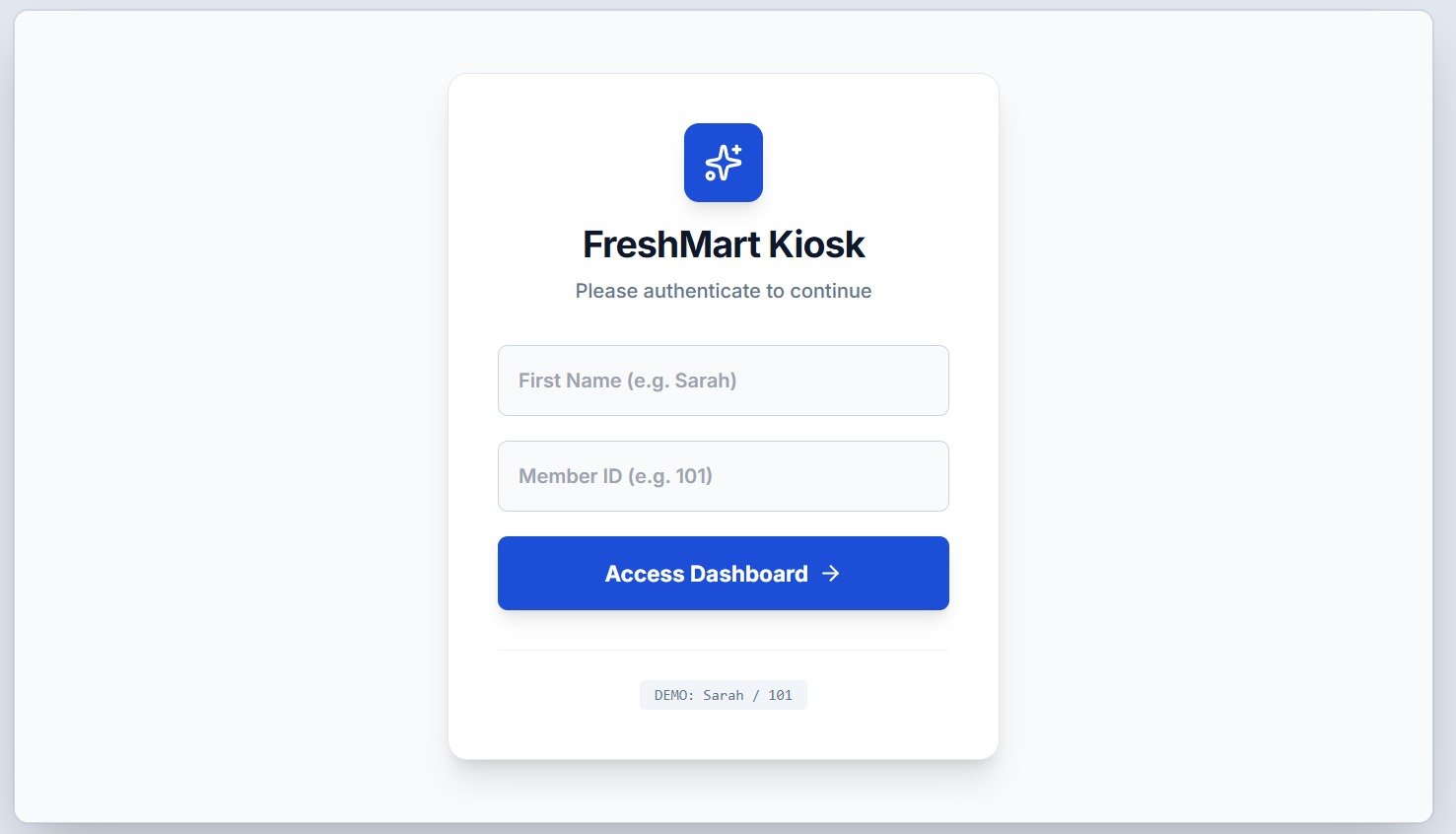
Operational Purpose & Identity Verification: The initial welcome terminal displayed on in-store kiosk touchscreens. Customers identify themselves using their first name and member loyalty ID to unlock personalized purchase history and quick reorders.
-
Input Parameters & Form Controls: Focus-styled input fields accepting registered customer name (e.g., Sarah) and numeric customer loyalty identification (e.g., 101).
-
Access Dashboard CTA: High-contrast blue button initiating instant profile retrieval, loyalty credit hydration, and seamless transition to the shopping hub.
Module 2: Department Selection & Cadastral Store Directory
-
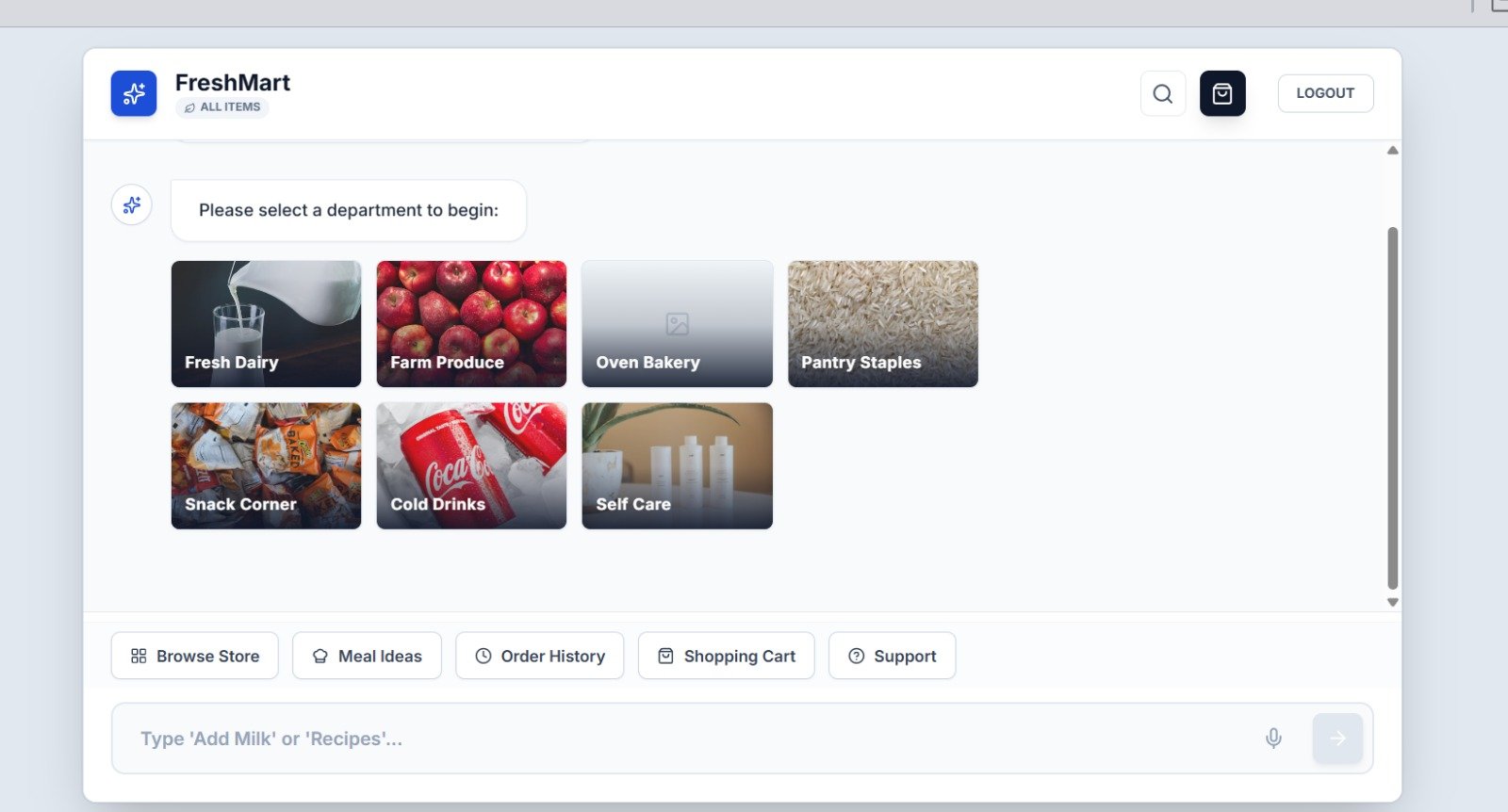
Touch-First Spatial Navigation: The interactive visual department directory displayed when a customer taps "Browse Store". Designed for touch navigation, shoppers tap any department to view available products without typing.
-
7 Mapped Aisles: Fresh Dairy (Aisle 1), Farm Produce (Aisle 2), Oven Bakery (Aisle 3), Pantry Staples (Aisle 4), Snack Corner (Aisle 5), Cold Drinks (Aisle 6), and Self Care (Aisle 7).
-
Aisle Guidance Pins: Automatically integrates with spatial store coordinates, showing the exact aisle number and physical store section.
Module 3: Department Product Carousel & Variant Engine
-
Real-Time Inventory & Dietary Status: High-resolution imagery with green vegetarian or red non-veg indicators, real-time pricing, and promotional highlight badges (e.g. 10% OFF).
-
Dynamic Weight Selector Pills: Selectable variant buttons (250ml, 500ml, 1L) that recalculate prices on click based on normalized unit pricing.
-
Instant Inline Stepper: The ADD + action button triggers cart insertion and converts to an interactive [-] [1] [+] stepper for fast quantity changes.
Module 4: Weight Selection & Live Cart State Bus
-
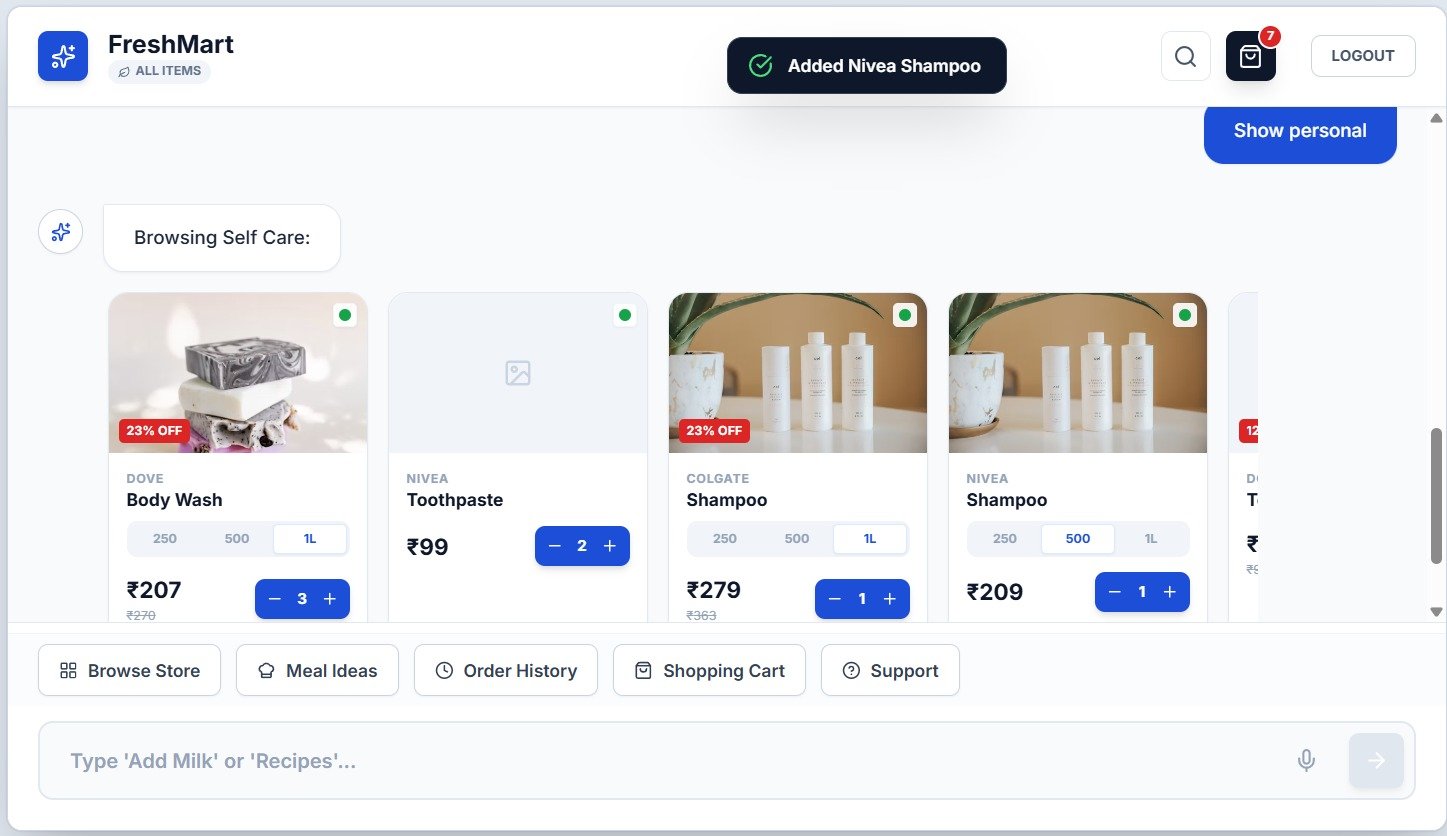
Real-Time Toast Feedback: Demonstrates real-time feedback upon adding an item. The system fires a floating pill banner with a green checkmark confirming line addition.
-
Live Cart Counter: Header shopping bag icon increments its badge from 0 to 1 with smooth bounce animation.
-
Compound Variant Keys: Cart items are keyed as
${product.id}-${selectedWeight}, preserving distinct line items for 500g and 2kg without collision.
Module 5: Slide-Out Cart & Fulfillment Routing
-
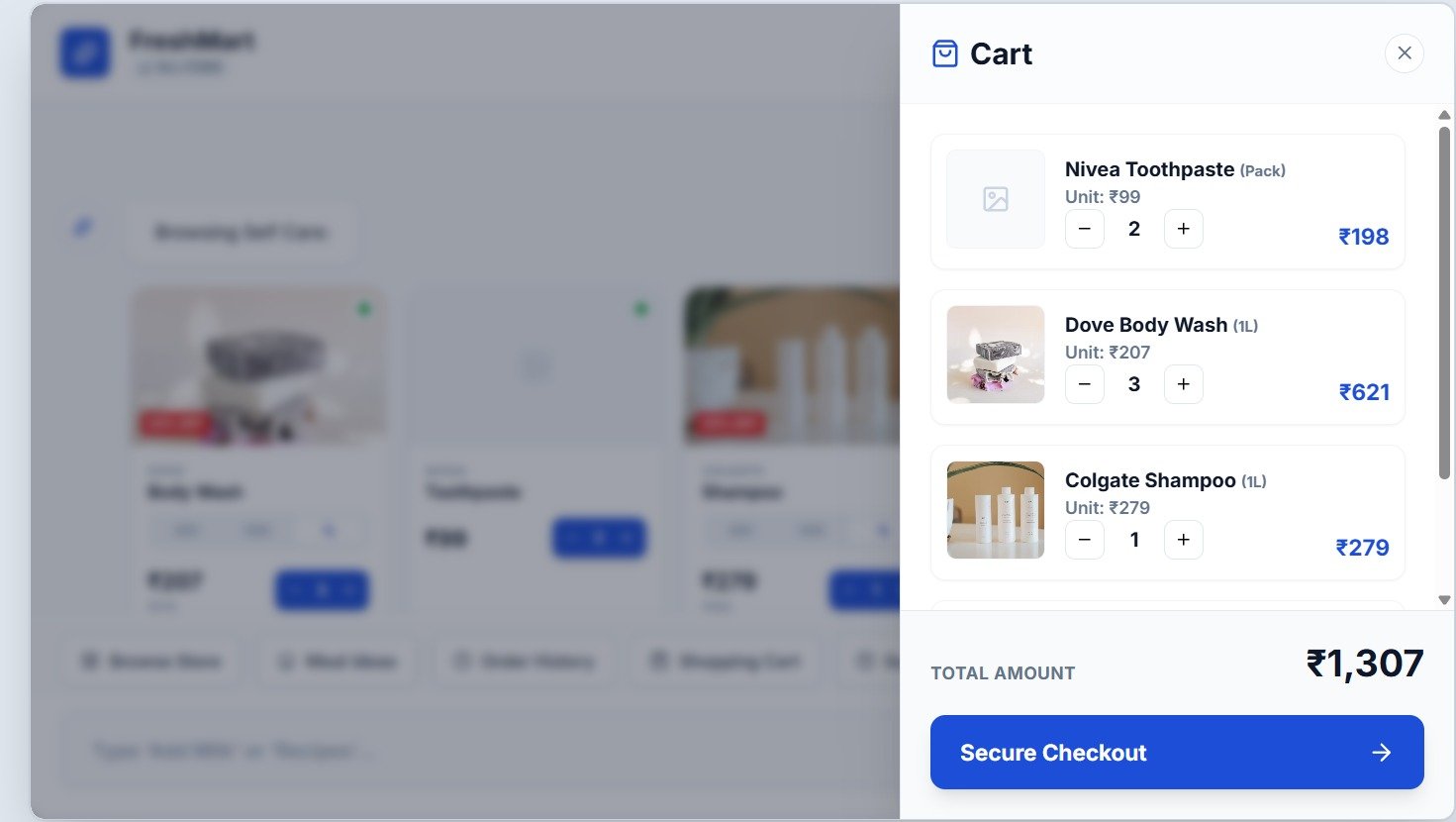
Granular Line Item Review: Tapping the shopping bag opens the slide-out cart for inspection, detailing unit rates, quantities, and real-time subtotals.
-
Dual Fulfillment Choice: Shoppers choose between In-Store Kiosk Counter Pickup and Express Doorstep Delivery.
-
Scheduled Slots: Reserves preferred collection or delivery windows (e.g. Morning 9 AM – 12 PM) to prevent physical pickup congestion.
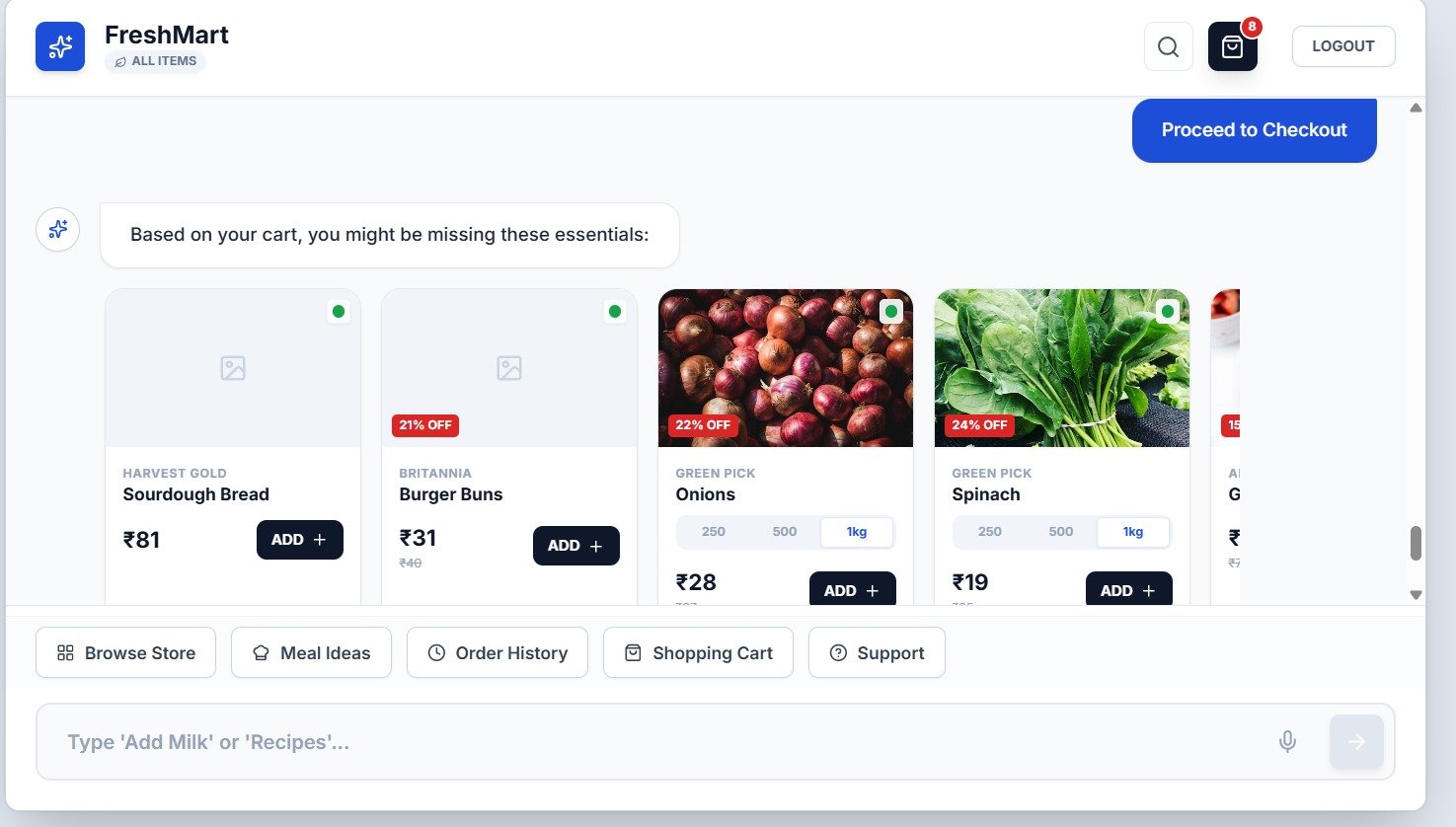
Module 6: Order Summary & 3-Step Payment Execution Flow
-
Pre-Payment Invoice Ledger: Itemized specification table detailing Product Name, Quantity, and Line Totals generated directly within the conversational flow.
-
Payment Method Selection: Transitions to secure payment verification options including UPI QR codes, debit/credit cards, and terminal cash counters.
-
Grand Total Confirmation: Prominent currency display confirming final settlement amount with loyalty point discounts applied.
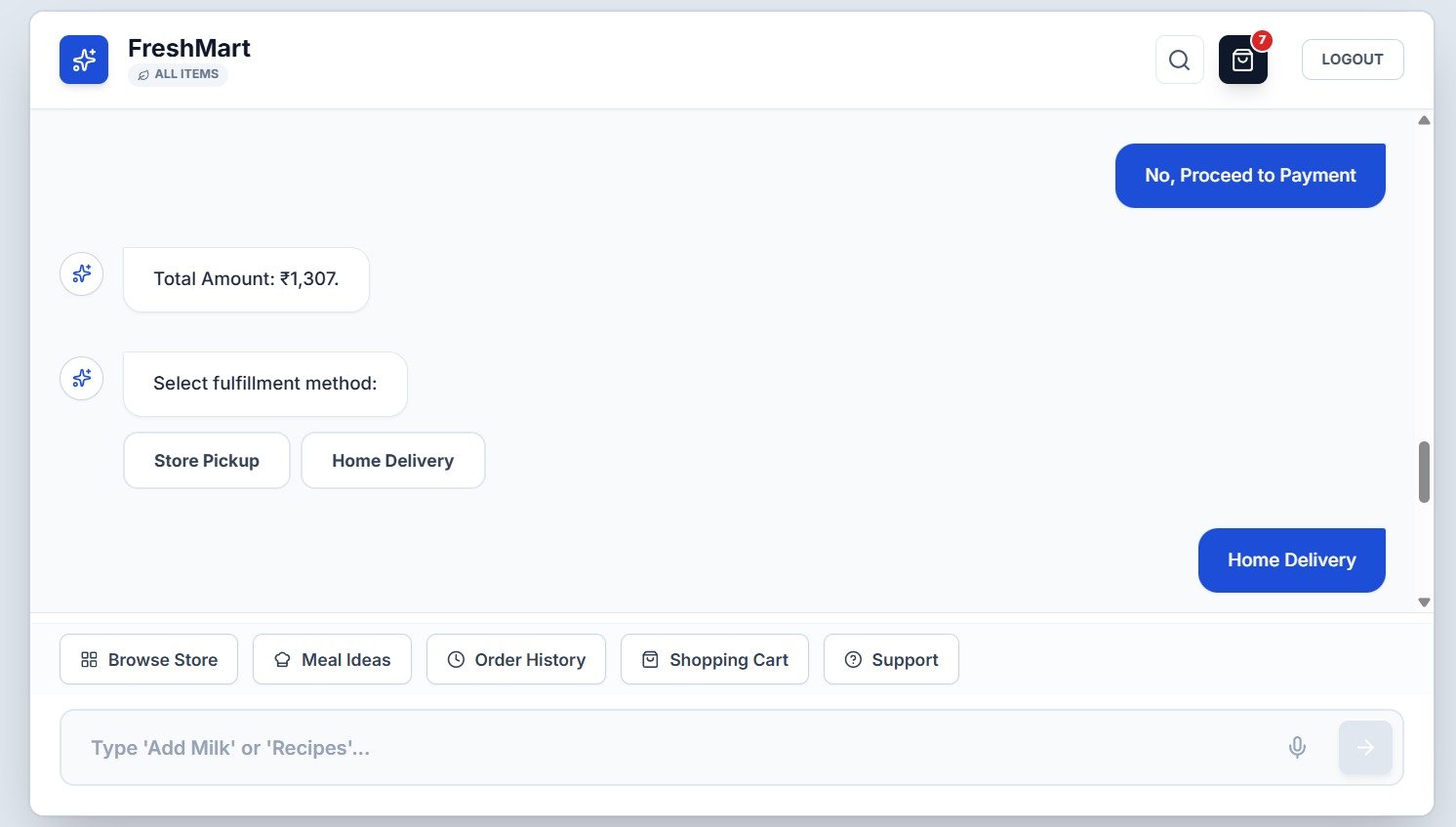
Module 7: Order Confirmation Receipt & ERP Settlement
-
Unique Order Reference: Assigns an official system-generated booking code (e.g., #FM-8821) logged to the store's central ERP inventory bus.
-
Expedited Collection Routing: Clear visual guidance instructing the customer to proceed directly to Counter #2 for instant package handoff.
-
Automated Cart Reset: Automatically purges client session memory and resets the kiosk touchscreen for the next shopper.
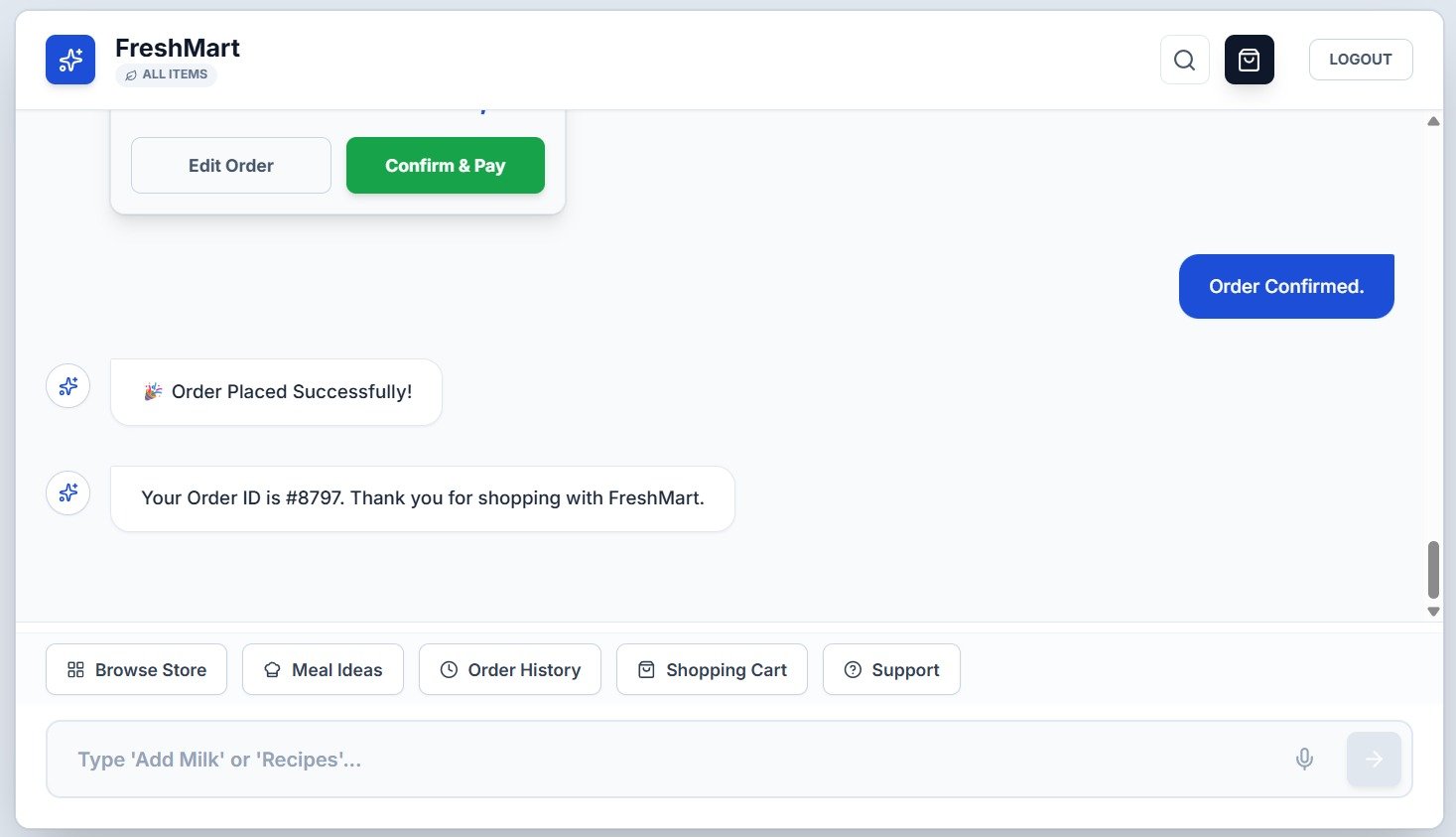
Module 8: Help, Support & Spatial Wayfinding Context
-
Aisle Indicator Badge: Instantly answers natural language queries (e.g. "Where is dairy located?") with corridor locations and aisle numbers.
-
Topological Layout Mapping: Correlates natural language intent to the physical floor blueprint, helping shoppers orient themselves in seconds.
-
Fast Staff-Free Resolution: Eliminates floor staff interruptions while helping shoppers locate specialty ingredients without wandering.
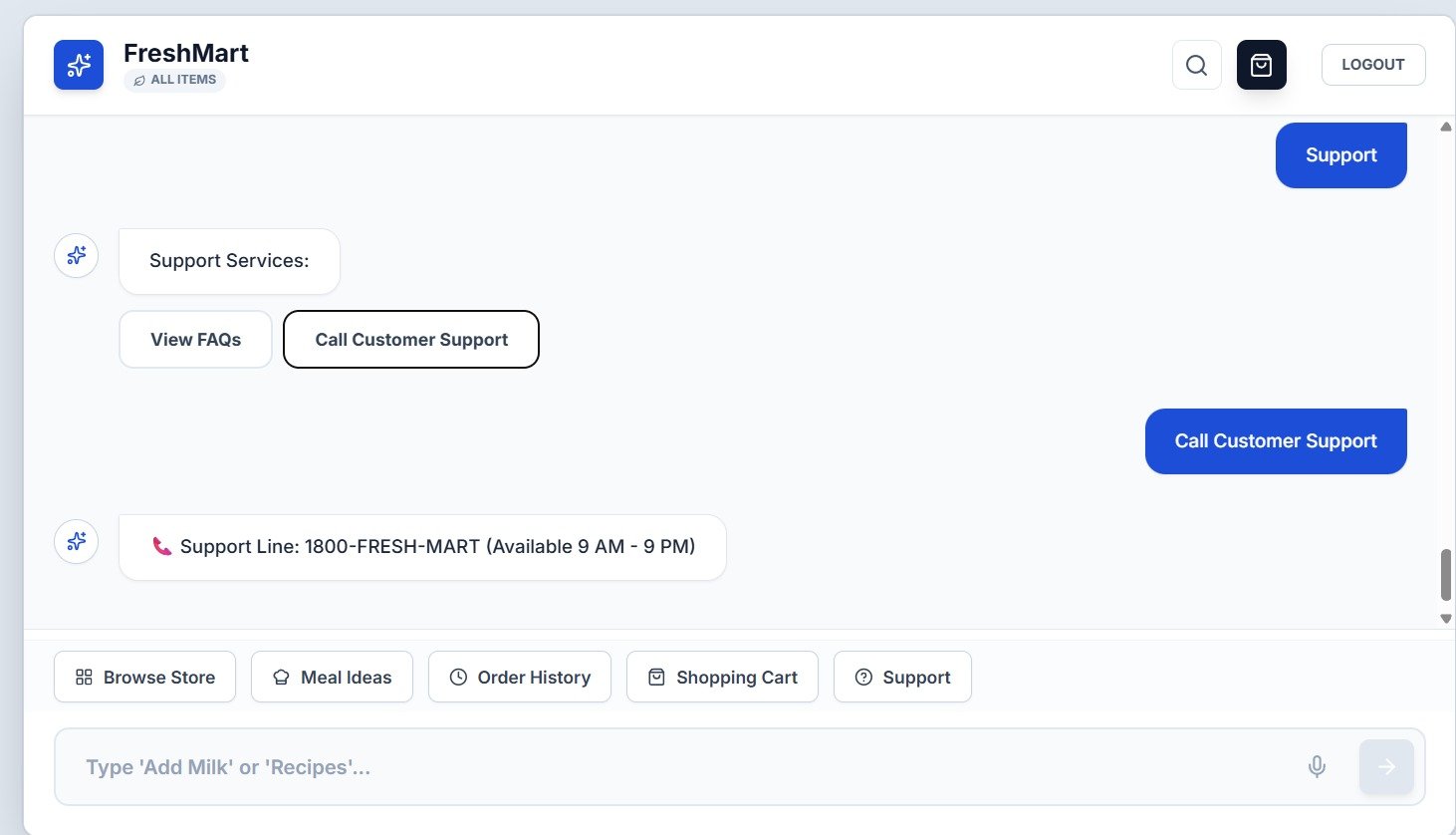
Module 9: Chef-Curated Meal Kits & 1-Click Bundle Engine
-
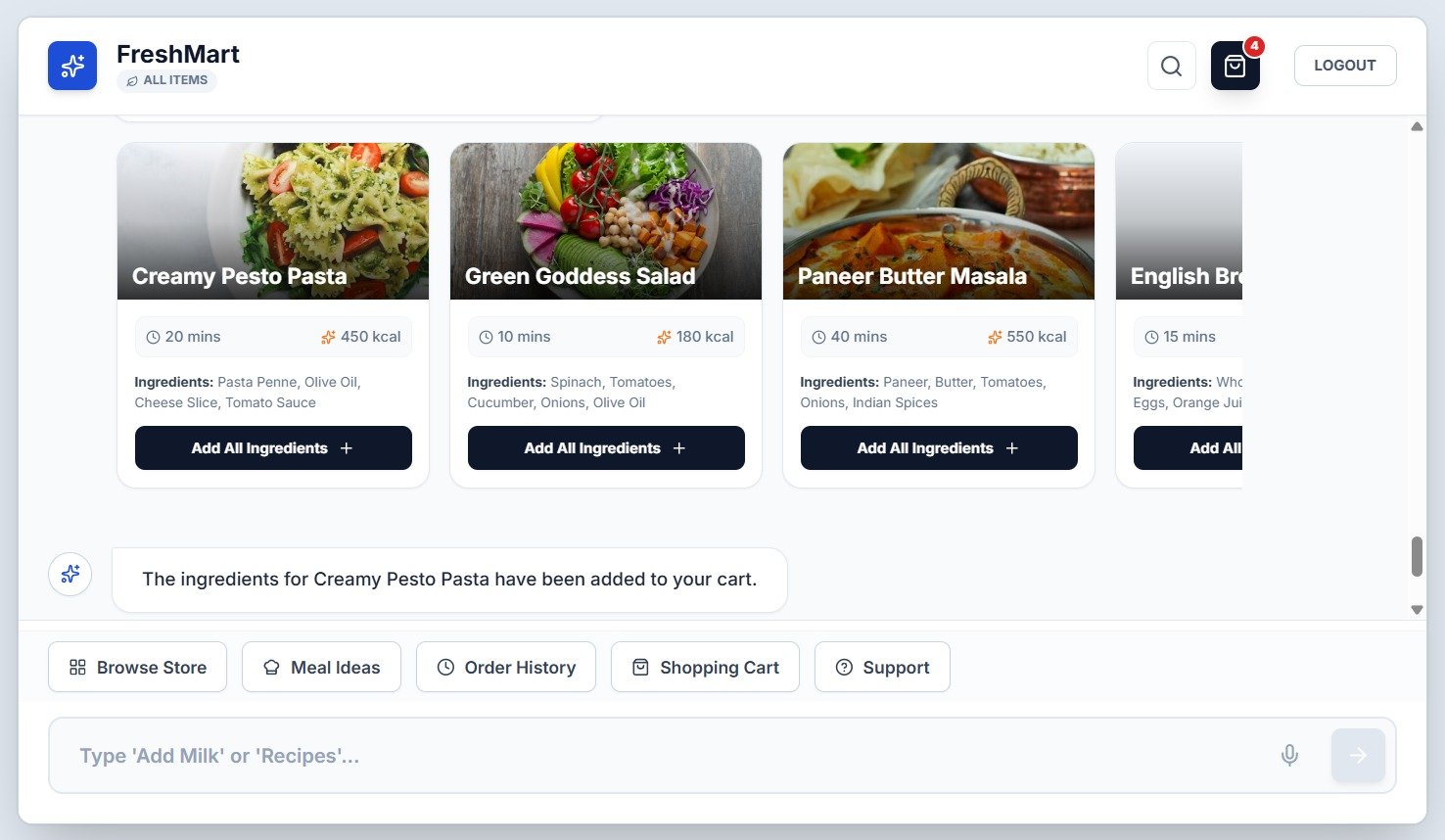
Recipe-to-Cart Automation: Bridges the gap between meal planning and grocery shopping by packaging ready-to-cook recipes (e.g. Creamy Pesto Pasta) into one-click cart additions.
-
Nutritional & Prep Badges: Prominently displays cooking duration (25m) and nutritional caloric density (450 kcal) on the recipe card vault.
-
1-Click Multi-SKU Insertion: Tapping "Add All Ingredients" simultaneously bundles pasta, olive oil, and seasonings into the shopping cart.
Persona 1 — Kiosk Shopper (Role: kiosk_shopper)
Example User: Sarah (Loyalty ID: 101) | Access Level: Own profile, cart, reorder history
Walk-in supermarket shoppers who value speed and autonomy. They prefer using an interactive terminal at the entrance rather than wandering aisles or waiting in billing queues.
Platform Value: Fast 10-second authentication, instant aisle navigation maps, 1-click recipe bundles, and quick self-checkout with pickup slot reservation.
Persona 2 — Health & Budget Conscious Buyer (Role: nutrition_buyer)
Example User: Diabetic / Fitness Shopper | Access Level: Product nutritional analytics & comparative matrix
Shoppers who scrutinize calorie density, sugar content, and total fat before buying, or families managing strict monthly grocery budgets.
Platform Value: Instant side-by-side comparison tables (Price, Calories, Sugar, Fat) and a single-click VEG ONLY global safety toggle.
Persona 3 — Store Associate & Floor Supervisor (Role: floor_supervisor)
Example User: Shift Lead | Access Level: Kiosk terminal telemetry & aisle queues
On-the-ground staff managing shelf restocks, kiosk paper/screen upkeep, and fulfillment counter assembly for Click & Collect orders.
Platform Value: Autonomous customer orientation frees up 3.5 hours per shift for shelf staging and click-and-collect fulfillment.
Persona 4 — Supermarket Operations Director (Role: store_manager)
Example User: General Manager | Access Level: Throughput telemetry, inventory turns, SKU velocity
Commercial leaders responsible for revenue per square foot, shrinkage reduction, and loyalty program conversion rates.
Platform Value: 3.2x larger average basket sizes through recipe kit bundling; 85% reduction in checkout queue wait times.
Authentication & Loyalty Profile
Approach the terminal and input registered First Name (Sarah) and Member ID (101). Tapping Access Dashboard authenticates the session and retrieves previous order history and loyalty points.
Department Browsing
Tap Browse Store in the quick action footer. The interactive department directory opens displaying all 7 supermarket sections with photographic imagery. Tap Fresh Dairy.
Product Customization & Weight Selection
Browse the dairy carousel. On the Amul Whole Milk card, tap the 1L weight pill to lock in your volume. The price recalculates instantly. Tap ADD + to insert the product into the active basket.
Review Cart Drawer
Tap the Shopping Bag icon in the top-right header. The slide-out cart drawer reveals the itemized list, unit price, quantity steppers, and calculated grand total. Tap Secure Checkout.
Fulfillment & Time Slot Selection
When the bot prompts for fulfillment, select Store Pickup for in-store collection (or Express Delivery for doorstep courier). Choose your preferred collection slot: Morning (9 AM - 12 PM).
Confirm and Pay
Inspect the generated Order Summary Card. Verify items, specifications, and the grand total. Tap green Confirm & Pay to place the order and receive digital order confirmation #FM-8821.
Best Supermarket app for Retail Capabilities
Advanced Assistant Subsystems orchestrating the complete commercial lifecycle of a retail shopping trip.
Cadastral Wayfinding
Interactive SVG floor guide pinpoints exact aisle (e.g., Aisle 1) with animated locator pins.
Chef Meal Kits
1-click "Add All Ingredients" packages pasta, olive oil, and herbs into cart simultaneously.
Nutritional Compare
Side-by-side comparison tables analyzing Price, Calories, Sugar, and Fat.
Global Diet Engine
Single header toggle filters out all non-veg items across carousels and recipe kits.
NLP Brain Engine
Handles compound multi-item commands and dynamically recognizes fractional units in real time.
100% Offline Edge Capability
Static application bundle stores NLP parser and pricing matrices for unbroken offline kiosk operations.
Cadastral Wayfinding
Interactive SVG floor guide pinpoints exact aisle (e.g., Aisle 1) with animated locator pins.
Chef Meal Kits
1-click "Add All Ingredients" packages pasta, olive oil, and herbs into cart simultaneously.
Frequently Asked Questions (FAQ)
Common questions regarding Best Supermarket app for Retail features, checkout conflicts, and offline capabilities.
Q: Can a shopper buy different weights of the same product without cart conflict?
A: Yes. Line items are keyed by compound variant ID: ${product.id}-${product.selectedWeight}. A customer can have 500g Potatoes and 2kg Potatoes as distinct line items with separate pricing.
Q: How does the system handle complex compound voice/text orders?
A: The NLP brain splits sentences on commas and the conjunction "and" (e.g. "Add 2kg potatoes and 1L whole milk"), parsing each segment through unit regexes independently.
Q: What happens if an in-store customer leaves the terminal unattended?
A: The session resides in client memory. Tapping LOGOUT or timing out immediately purges customer data and resets the kiosk to the welcome authentication screen.
Q: Can Best Supermarket app for Retail operate without active internet connectivity?
A: Yes. The client application contains all local NLP matching algorithms, pricing matrices, and product catalogs within its static bundle, enabling offline in-store kiosk reliability.
Best Supermarket app for Retail
Enterprise Autonomous Retail Kiosk & Conversational Commerce Platform · Enterprise System Manual Proprietary & Confidential
Deploy Best Supermarket app for Retail →